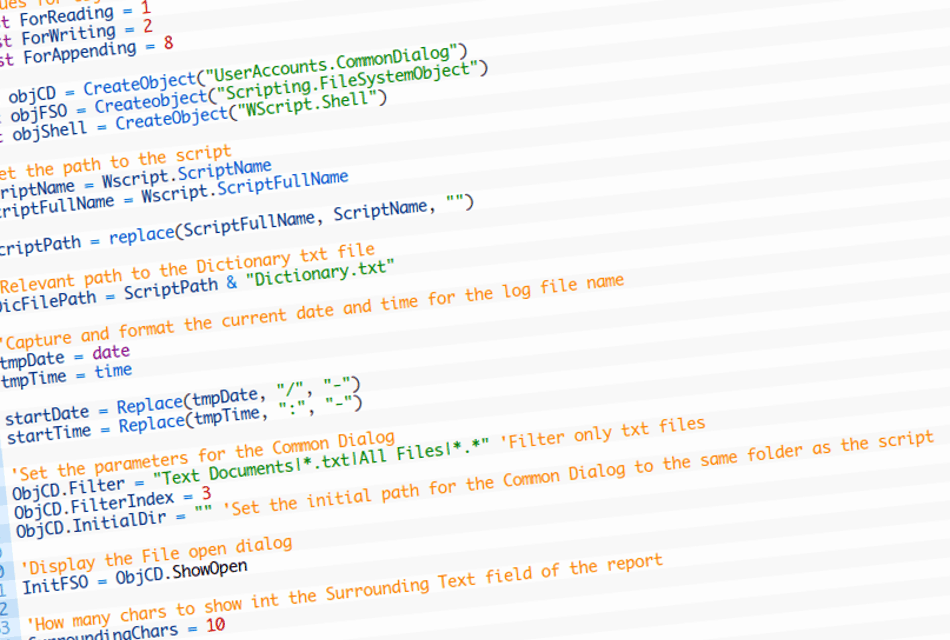
This script will allow you to browse to a text document and compare all of the words that exist in another dictionary text file.
If any matches are found an html report is created showing the matches and highlighting the matches in the scanned file.
An example of the report can be found here.
The dictionary text file must contain a list of words, with each word being on a new line also the dictionary.txt file must in the same directory as the script
' ---------------------------------------------------------------------------------
' Word Compare
'
' Version: 0.2
' Author: Philip Eddies
'
' Disclainer:
' Use of this script / software is entirely at your own risk no support, warranty
' or guaranty is given. The author takes no responsibility for any damage or problems
' caused by this script / software.
'
' Copyright 2009 Philip Eddies
'
' Licensed under GPL
' This program is free software: you can redistribute it and/or modify
' it under the terms of the GNU General Public License as published by
' the Free Software Foundation, either version 3 of the License, or
' (at your option) any later version.'
'
' This program is distributed in the hope that it will be useful,
' but WITHOUT ANY WARRANTY; without even the implied warranty of
' MERCHANTABILITY or FITNESS FOR A PARTICULAR PURPOSE. See the
' GNU General Public License for more details.'
'
' You should have received a copy of the GNU General Public License
' along with this program. If not, see <http://www.gnu.org/licenses/>.
'
' ---------------------------------------------------------------------------------
'Values for objFSO
Const ForReading = 1
Const ForWriting = 2
Const ForAppending = 8
Set objCD = CreateObject("UserAccounts.CommonDialog")
Set objFSO = Createobject("Scripting.FileSystemObject")
Set objShell = CreateObject("WScript.Shell")
'Get the path to the script
ScriptName = Wscript.ScriptName
ScriptFullName = Wscript.ScriptFullName
ScriptPath = replace(ScriptFullName, ScriptName, "")
'Relevant path to the Dictionary txt file
DicFilePath = ScriptPath & "Dictionary.txt"
'Capture and format the current date and time for the log file name
tmpDate = date
tmpTime = time
startDate = Replace(tmpDate, "/", "-")
startTime = Replace(tmpTime, ":", "-")
'Set the parameters for the Common Dialog
ObjCD.Filter = "Text Documents|*.txt|All Files|*.*" 'Filter only txt files
ObjCD.FilterIndex = 3
ObjCD.InitialDir = "" 'Set the initial path for the Common Dialog to the same folder as the script
'Display the File open dialog
InitFSO = ObjCD.ShowOpen
'How many chars to show int the Surrounding Text field of the report
SurroundingChars = 10
If InitFSO = False Then
'No file was selected so Error
Wscript.Echo "Script Error: Please select a file!"
Wscript.Quit(10)
Else
'ScanFilePath = the full path and filename if the file
ScanFilePath = ObjCD.FileName
Set objScanFile = ObjFSO.OpenTextFile(ScanFilePath, ForReading)
Set objDicFile = ObjFSO.OpenTextFile(DicFilePath, ForReading)
'Load the contents of the selected file into ScanFileText and close the file
ScanFileText = objScanFile.ReadAll
ScanFileTextForReport = ScanFileText
objScanFile.Close
'Clean up the strings
ScanFileText = Space(30) & ScanFileText & Space(31) 'Pad it will space the the start and end so th mid function does not fail
ScanFileTextForReport = replace(ScanFileTextForReport, chr(13), "<br>")
ScanFileText = Replace(ScanFileText, "<", "<",1,-1,1)
ScanFileText = Replace(ScanFileText, ">", ">",1,-1,1)
ScanFileTextForReport = Replace(ScanFileText, "<", "<",1,-1,1)
ScanFileTextForReport = Replace(ScanFileText, ">", ">",1,-1,1)
'Build the header of the CSV file
ResultReport = "<html><head><title>Scan Results Report for: " & ScanFilePath & "</title></head><body>"
ResultReport = ResultReport & "<h2>Scan Results Report for: <a href='" & ScanFilePath & "'>"& ScanFilePath &"</a> </h2>"
ResultReport = ResultReport & "<b>Scan Conducted: </b>" & tmpDate & " @ " & tmpTime & "<br>"
ResultReport = ResultReport & "<a href='" & DicFilePath &"'>View the Dictionary File</a><br><br>"
ResultReport = ResultReport & "<table width='400' border='1' cellpadding='0' cellspacing='0' bordercolor='#cccccc'>"
ResultReport = ResultReport & "<h2>Scan Matches</h2>"
ResultReport = ResultReport & "<tr bgcolor='#0099FF'>"
ResultReport = ResultReport & "<td><b>Word</b></td><td><b>Surrounding Text</b></td>"
ResultReport = ResultReport & "</tr>"
'Loop though each word in the dictionary and check if that word exists in the string ScanFileText
Do While objDicFile.AtEndOfStream <> True
'Reset
DicWordCount = 0
SurroundingText = ""
DicWordPos = 0
DicWordCount = 0
'Read the next word from the dictionary
DicWord = objDicFile.ReadLine
DicWordLength = len(DicWord)
DicWordPos = inStr(1, ScanFileText, DicWord,1)
If DicWordPos > 0 then
'Add the first Match to the report
MatchFound = True 'MatchFound if used to check if any match was found, if so a report will be created
SurroundingText = Trim(Mid(ScanFileText,DicWordPos -SurroundingChars, 30)) 'Get SurroundingChars before and after the word
'Mark the word
SurroundingText = Replace(SurroundingText, DicWord, "<b style='color: #FF0000'>"& DicWord & "</b>",1,-1,1)
'Increase the word count
DicWordCount = DicWordCount + 1
'Build a row for the report
ResultReport = ResultReport & "<tr><td>" & DicWord & "</td><td>" & SurroundingText & "</td></tr>"
'Mark the word in the Scanned File
ScanFileTextForReport = replace(ScanFileTextForReport, DicWord, "<b style='color: #FF0000'>"& DicWord & "</b>",1,-1,1)
Do while DicWordPos > 0
'Check if there are any other matchs
DicWordPos = inStr(DicWordPos+DicWordLength, ScanFileText, DicWord,1)
If DicWordPos > 0 then
'Build a row for the report
SurroundingText = Trim(Mid(ScanFileText,DicWordPos -SurroundingChars, 30)) 'Get SurroundingChars before and after the word
'Mark the word
SurroundingText = Replace(SurroundingText, DicWord, "<b style='color: #FF0000'>"& DicWord & "</b>",1,-1,1)
'Build a row for the report
ResultReport = ResultReport & "<tr><td> </td><td>" & SurroundingText & "</td></tr>"
DicWordCount = DicWordCount + 1
End if
Loop
ReportDicWordCounts = ReportDicWordCounts & "<b>" & DicWord & "</b> (" & DicWordCount & ") "
End if
Loop
'Close the dictionary file
objDicFile.Close
if MatchFound = true then
'If a Match is found
ResultReport = ResultReport & "</table>"
ResultReport = ResultReport & "<b>Totals:</b> " & ReportDicWordCounts
ResultReport = ResultReport & "<br><br><h2>Scanned File</h2>"
ResultReport = ResultReport & "<div style='position:absolute; height:300px; width:700px; background-color:#cccccc; overflow:auto;'>" & ScanFileTextForReport & "</div>"
ResultReport = ResultReport & "<br><br></body></html>"
'Save the report
ReportFilePath = ScriptPath & "Report_" & startDate & " " & startTime & ".htm" 'Generate the file name
Set objReportFile = objFSO.CreateTextFile(ReportFilePath)
objReportFile.Write(ResultReport)
'Close the report
objReportFile.close
'Display Yes No message
strMbox = MsgBox("Complete: MATCH FOUND!" & chr(13) & chr(10) & chr(13) & chr(10)& "Would you like to open the report: " & ReportFilePath,4,"Match Found: Open the report?")
if strMbox = 6 Then
'Yes Clicked
objShell.Run chr(34) & ReportFilePath & chr(34)
Else
'No Clicked
wscript.quit(0)
End if
Else
'If a Match is NOT found
wscript.echo "Complete." & chr(13) & chr(10) &" No Match"
wscript.quit(0)
End if
End If
