Skip to content
Geeks Hangout
  • Home
  • Fixes
  • Tips
  • Scripts
  • Tools
  • About

Registry

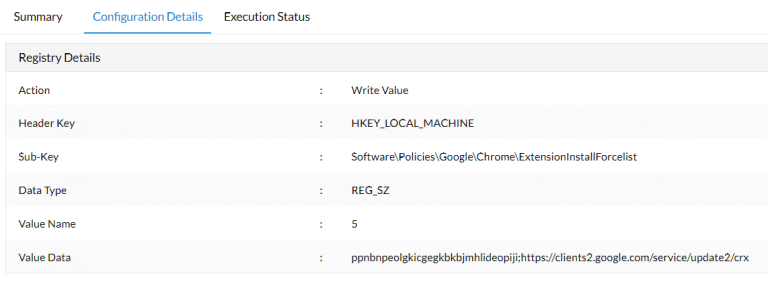
Chrome – Silently Deploying an Extension using the Registry
July 3, 2021 by Geeks Hangout

I needed to silently deploy a Chrome extension and force it enabled. Normally when needing to push out or otherwise manage Chrome settings I would use the Google Chrome ADMX templates to define some Group Policy Objects. For example I …
Read more

3 Comments

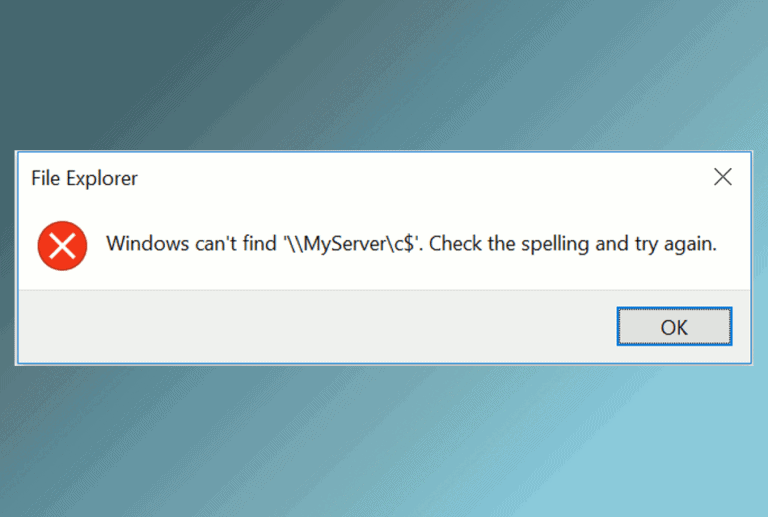
File Explorer – Windows can’t find \\Server\Share. Check the spelling and try again

August 27, 2021June 27, 2017 by Geeks Hangout
Windows can't find \\Server\Share. Check the spelling and try again

Problem: One of my Windows 10 Pro clients recently had a weird issue I could ping servers, RDP to them but I couldn’t map a drive or browse using a UNC path. I would get the message Windows can’t find \\Server\Share. …

Read more

6 Comments

Changing a Services “Path to executable” in the registry

December 20, 2015August 21, 2012 by Geeks Hangout

Changing a Services “Path to executable” in the registry If you ever need to change the executable a Windows service points to it can be done easily in the registry. HKEY_LOCAL_MACHINE\SYSTEM\CurrentControlSet\Services\[Name of Service] To change the location of the exe …

Read more

Leave a comment

Recent Posts

  • How to Enable PowerShell Logging
  • I haven’t posted in two years!
  • How to retrieve saved MySQL Workbench passwords
  • Testing a Serial COM Port Printer
  • Azure App Services and WordPress with PHP 8.x
  • How to use variables with Microsoft SQL
  • Microsoft Teams – Channel name is already taken [Fixed]

Recent Comments

  • Mark on Unifi Inform Status: Server Reject
  • Aleena on Azure Data Factory – How to Save Web Activity to Blob Storage
  • Sandy on System i / AS400 Client Access Copy and Paste with CTRL-C and CTRL-V
  • Bill on FIXED “The requested security information is either unavailable or can’t be displayed”
  • Caio Bauab on Azure Data Factory – Get and Use Key Vault Secrets
  • Aland on Install all RSAT tools via PowerShell
  • Fion on System i / AS400 Client Access Copy and Paste with CTRL-C and CTRL-V
© 2026 Geeks Hangout
Hosted by: Cloudways | Ads by: Ezoic | Theme: Generate Press
🛠 The Tools I Use 🛠
Privacy Policy | Contact Me