Skip to content
Geeks Hangout
  • Home
  • Fixes
  • Tips
  • Scripts
  • Tools
  • About

I haven’t posted in two years!

February 9, 2026February 8, 2026 by Geeks Hangout

So, it has been a while (nearly 2 years) since I last tapped away on my keyboard and added some content to this site. I don’t really expect anyone to read this post given it is just my ramblings, but …

Read more

Leave a comment

How to retrieve saved MySQL Workbench passwords

May 11, 2024March 2, 2024 by Geeks Hangout

I use MySQL Workbench a fair bit with Azure hosted MySQL databases. and various other MySQL servers. To make life easier I often save the passwords for non sensitive systems to the MySQL Workbench password vault. I recently hit a …

Read more

Leave a comment

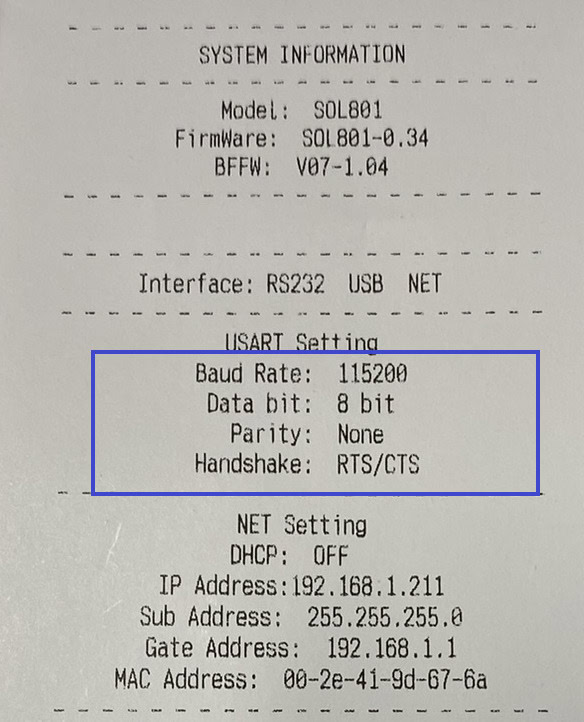
Testing a Serial COM Port Printer

December 19, 2023August 25, 2023 by Geeks Hangout

I work in the hospitality industry where it is common to still find serial receipt printers. In this post I will cover how you can perform as basic test print from the windows command prompt, without the need for any …

Read more

Leave a comment

Azure App Services and WordPress with PHP 8.x

February 7, 2026March 1, 2023 by Geeks Hangout

I recently decided it was time to upgrade some WordPress sites I have hosting as Azure App Services sites from the now deprecated PHP 7.4 to PHP 8.1 or 8.2. However, I immediately hit an issue with permalinks (page slugs) …

Read more

7 Comments

How to use variables with Microsoft SQL

December 19, 2023January 21, 2023 by Geeks Hangout
SQL Server Banner

In this post we are going to cover how to declare, set the value and use a variable in a Microsoft SQL. What is a variable? Before we get into how to use them, it is best if we define …

Read more

Leave a comment

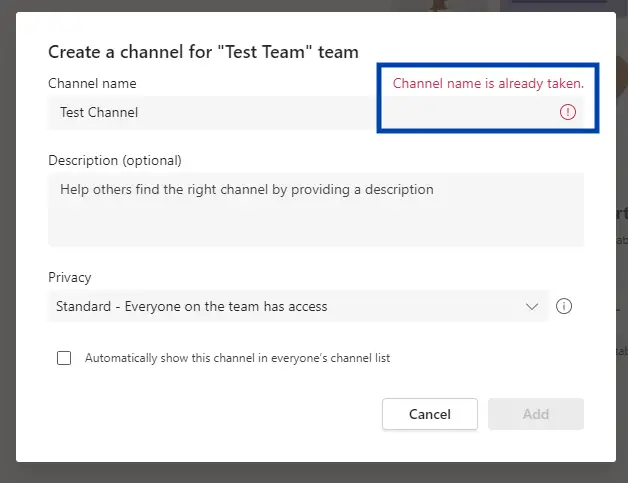
Microsoft Teams – Channel name is already taken [Fixed]

August 30, 2023January 14, 2023 by Geeks Hangout

I mistakenly created a Teams Channel as a standard channel when I needed it to be a private channel. At the time of writing Microsoft do not let you convert a channel form one type to another. No worries I …

Read more

Leave a comment

Azure Data Factory – How to backup and restore a pipeline

September 12, 2023January 10, 2023 by Geeks Hangout

I think we can all agree that backups are only a good thing, they form the bread and butter of any IT administrators’ tasks. In this post I will cover how to export and import an Azure Data Factory Pipeline …

Read more

Leave a comment

Setup a Laravel Valet Development Environment on MacOS

September 12, 2023December 3, 2022 by Geeks Hangout

In this post I will cover how to setup a Laravel Valet development environment on MacOS. At the end of this post, we will have performed a basic setup of Laravel Valet and created a new Laravel site that we …

Read more

Leave a comment

Git failed with a fatal error “Authentication failed”

September 12, 2023December 1, 2022 by Geeks Hangout

I recently opened Microsoft Visual Studio for the first time in a long while and attempted to clone a repo from an Azure Dev Ops. Only to be greeted by the message. Git failed with a fatal error “Authentication failed” …

Read more

Leave a comment

Microsoft SQL – Saving changes is not permitted (SSMS Design Mode)

September 12, 2023November 27, 2022 by Geeks Hangout

Have you ever attempted to alter the design on a Microsoft SQL table using the Microsoft SQL Server Management Studio (SSMS) tool. Maybe, to add an additional column, or change an existing columns data type, only to be greeted by …

Read more

Leave a comment
Older posts
Page1 Page2 … Page28 Next →

Recent Posts

  • I haven’t posted in two years!
  • How to retrieve saved MySQL Workbench passwords
  • Testing a Serial COM Port Printer
  • Azure App Services and WordPress with PHP 8.x
  • How to use variables with Microsoft SQL
  • Microsoft Teams – Channel name is already taken [Fixed]
  • Azure Data Factory – How to backup and restore a pipeline

Recent Comments

  • Mark on Unifi Inform Status: Server Reject
  • Aleena on Azure Data Factory – How to Save Web Activity to Blob Storage
  • Sandy on System i / AS400 Client Access Copy and Paste with CTRL-C and CTRL-V
  • Bill on FIXED “The requested security information is either unavailable or can’t be displayed”
  • Caio Bauab on Azure Data Factory – Get and Use Key Vault Secrets
  • Aland on Install all RSAT tools via PowerShell
  • Fion on System i / AS400 Client Access Copy and Paste with CTRL-C and CTRL-V
© 2026 Geeks Hangout
Hosted by: Cloudways | Ads by: Ezoic | Theme: Generate Press
🛠 The Tools I Use 🛠
Privacy Policy | Contact Me