Skip to content
Geeks Hangout
  • Home
  • Fixes
  • Tips
  • Scripts
  • Tools
  • About

Linux

Android Studio – Clone failed – Failed to start Git process

June 30, 2019February 16, 2016 by Geeks Hangout

Process After setting up Android Studio on mu Ubuntu laptop I attempted to check out some of my code using Git version control, and instead I was greeted with the message Clone failed – Failed to start Git process Solution …

Read more

Leave a comment

Android Studio – Unable to run mksdcard SDK tool

June 30, 2019February 16, 2016 by Geeks Hangout

Problem When trying to setup Android Studio on my Ubuntu 15.10 laptop, the Android components would not download Unable to run mksdcard SDK tool Solution I needed to install lib32stdc++6 sudo apt-get install lib32stdc++6

1 Comment

Ubuntu – Shell TAB key completion not working

February 27, 2017December 30, 2015 by Geeks Hangout

Problem: On my Ubuntu 15.10 laptop I found TAB key completion was not working in the bash shell / terminal. Solution: I started by checking the basics; Running echo $SHELL confirmed I was indeed using a bash shell. Running dpkg …

Read more

Leave a comment

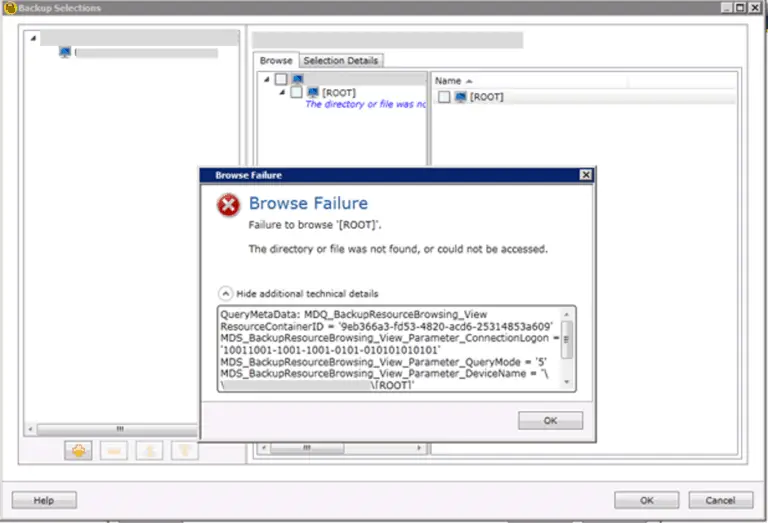
Backup Exec RALUS Agent for Linux – Failure to browse [Root]

February 18, 2017March 25, 2015 by Geeks Hangout

Problem – Backup Exec RALUS Agent for Linux – Failure to browse [Root] Recently I installed the Backup Exec Agent for Linux (RALUS) on to a couple of SLES servers. The installation went fine with no errors, but when trying to …

Read more

8 Comments

List Linux users via the shell

September 2, 2021March 24, 2014 by Geeks Hangout

If you have a need to find the user accounts present on a Linux computer via the shell the below command should help. This will list all users on the computer that have a home directory, you could also run  the …

Read more

Leave a comment

Finding SUSE and openSUSE version number and service pack level via the shell

December 20, 2015March 18, 2014 by Geeks Hangout

To find the version of SUSE or openSUSE and the service pack / patch level installed via the shell run the command; cat /etc/SuSE-release You should get an output like the below; SUSE Linux Enterprise Server 11 (x86_64) VERSION = 11 …

Read more

Leave a comment

Changing the time zone on CentOs from the shell

December 20, 2015October 19, 2012 by Geeks Hangout

Changing the time zone on CentOs from the shell You can enter the command date to view the current time zone To change the time zone you need to create a link from the appropriate location under “/usr/share/zoneinfo/..” to “/etc/localtime” For …

Read more

Leave a comment

Recent Posts

  • How to retrieve saved MySQL Workbench passwords
  • Testing a Serial COM Port Printer
  • Azure App Services and WordPress with PHP 8.1 / 8.2
  • How to use variables with Microsoft SQL
  • Microsoft Teams – Channel name is already taken [Fixed]
  • Azure Data Factory – How to backup and restore a pipeline
  • Setup a Laravel Valet Development Environment on MacOS

Recent Comments

  • Aleena on Azure Data Factory – How to Save Web Activity to Blob Storage
  • Sandy on System i / AS400 Client Access Copy and Paste with CTRL-C and CTRL-V
  • K.Praveen on WordPress Emails on Azure Configuring SendGrid
  • K.Praveen on WordPress Emails on Azure Configuring SendGrid
  • Bill on FIXED “The requested security information is either unavailable or can’t be displayed”
  • Caio Bauab on Azure Data Factory – Get and Use Key Vault Secrets
  • Aland on Install all RSAT tools via PowerShell
© 2025 Geeks Hangout
Hosted by: Cloudways | Ads by: Ezoic | Theme: Generate Press
🛠 The Tools I Use 🛠
Privacy Policy | Contact Me